Social Media Image Sizes: What Still Works in 2026
Complete social media image size guide for Instagram, Facebook, X, LinkedIn, Pinterest, TikTok, and YouTube. Current dimensions, aspect ratios, and tips.
Key Takeaways
- •Vertical images (4:5 or 9:16) get the most screen space on mobile feeds across Instagram, Facebook, and LinkedIn
- •Most platforms want at least 1080px width for sharp display
- •Every platform compresses your uploads — starting with high-quality source files minimizes visible quality loss
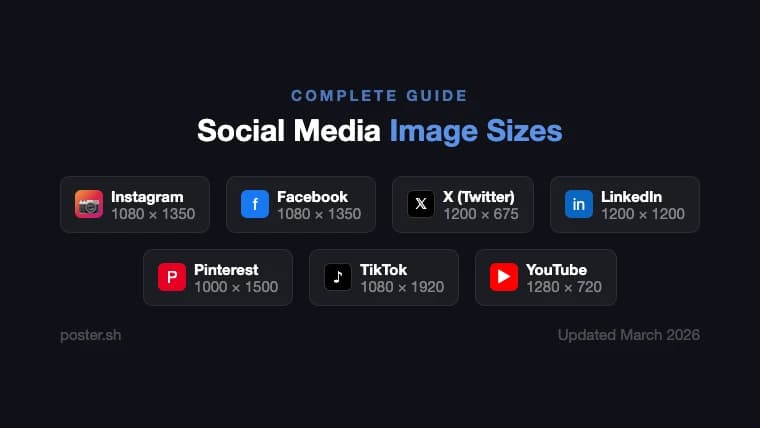
- •When in doubt: 1080×1350 (4:5) works well for feed posts on Instagram, Facebook, and LinkedIn
On This Page
The fastest way to waste a good social graphic is to upload the right design at the wrong dimensions. One bad ratio and the platform crops the headline, softens the image, or compresses it into mush.
This reference keeps to the platform sizes that still matter in 2026, with the current dimensions verified in March 2026. Use it as a checklist, not a timeless rulebook, because social specs move.
Instagram is the most size-sensitive platform. Wrong dimensions mean unexpected cropping.
Feed posts
| Format | Dimensions | Aspect Ratio | Best for |
|---|---|---|---|
| Square | 1080 × 1080 | 1:1 | Product shots, quotes |
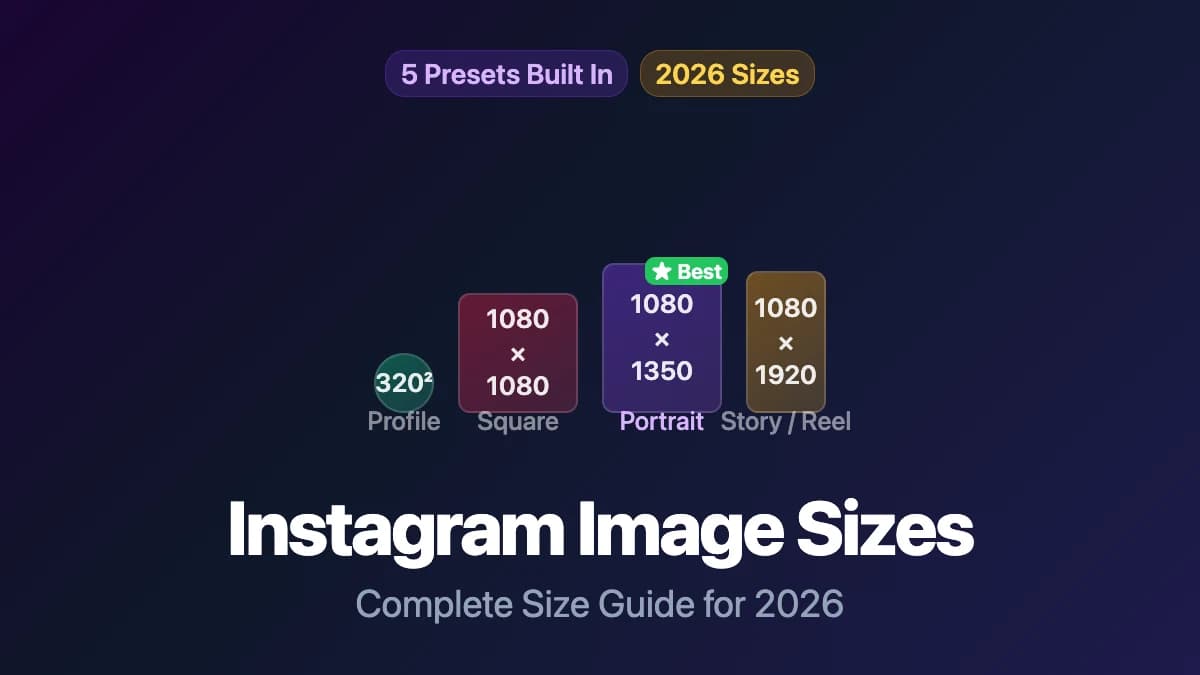
| Portrait | 1080 × 1350 | 4:5 | Photos, posters, infographics |
| Tall portrait | 1080 × 1440 | 3:4 | Maximum feed height |
| Landscape | 1080 × 566 | 1.91:1 | Panoramic shots, banners |
Portrait is the strongest choice. Instagram now supports up to 3:4 (1080×1440), which fills more vertical screen space than the older 4:5 limit. The taller the image, the more of the viewer's screen your post occupies.
Stories and Reels
- Dimensions: 1080 × 1920
- Aspect ratio: 9:16 (full vertical screen)
Both Stories and Reels use the same dimensions. Keep text and important elements away from the top and bottom edges — Instagram overlays the username, music info, and interaction buttons there.
Profile picture
- Upload at: 320 × 320
- Displayed at: 110×110 (mobile), 180×180 (desktop)
- Format: Circle crop
For the full breakdown on Instagram sizing, see our complete Instagram image size guide.
Facebook is mobile-first — 98% of users access it on phones. Vertical formats dominate (verified March 2026).
Feed posts
| Format | Dimensions | Aspect Ratio | Best for |
|---|---|---|---|
| Portrait | 1080 × 1350 | 4:5 | Maximum mobile feed space |
| Square | 1080 × 1080 | 1:1 | Clean, versatile |
| Full vertical | 1080 × 1920 | 9:16 | Stories-style immersive |
Facebook feed supports aspect ratios from 9:16 to 16:9. Portrait (4:5) is the sweet spot for engagement — it takes up more screen without going full-screen.
Stories
- Dimensions: 1080 × 1920 (9:16)
- Same as Instagram Stories. If you're cross-posting, one image works for both.
Cover photo
- Recommended: 820 × 312 (desktop display)
- Mobile display: 640 × 360
- Design for both: keep the key visual centered so it works at either crop.
Profile picture
- Upload at: 170 × 170 minimum
- Displayed at: 176×176 (desktop), 36×36 (in comments)
- Format: Circle crop
X (Twitter)
X favors the 16:9 landscape format for single-image posts.
Single image post
- Recommended: 1200 × 675 (16:9)
- Minimum width: 600px
- Max file size: 5MB (images), 15MB (GIFs)
The 16:9 ratio ensures no cropping in the timeline. Square images also display well, but landscape gets the most predictable rendering.
Header photo
- Recommended: 1500 × 500 (3:1)
- Displays differently on desktop vs mobile — keep important content centered.
Profile picture
- Upload at: 400 × 400
- Format: Circle crop
LinkedIn rewards vertical content on mobile but still has a strong desktop audience.
Feed posts
| Format | Dimensions | Aspect Ratio | Best for |
|---|---|---|---|
| Square | 1200 × 1200 | 1:1 | Versatile, professional |
| Landscape | 1200 × 628 | 1.91:1 | Link previews, sponsored |
| Portrait | 720 × 900 | 4:5 | Mobile-first reach |
Square (1:1) works best as an all-around format. For maximum mobile visibility, use 4:5 portrait. LinkedIn's official image specs confirm these dimensions (verified March 2026).
Article cover image
- Recommended: 1200 × 644 (1.87:1)
- This appears at the top of LinkedIn articles and in shared links.
Company page banner
- Recommended: 1128 × 191
- Narrow format — keep text large and centered.
Profile picture
- Upload at: 400 × 400
- Format: Circle crop
Pinterest is the most vertical-friendly platform. Taller images perform measurably better.
Standard pins
- Recommended: 1000 × 1500 (2:3)
- Square: 1000 × 1000 (1:1)
- Max useful height: 1000 × 2100 (1:2.1) — anything taller gets truncated
The 2:3 ratio is Pinterest's own recommendation and earns the most saves and clicks. Don't go wider than 1:1 — horizontal images get buried in Pinterest's vertical feed.
Idea pins
- Dimensions: 1080 × 1920 (9:16)
- Full-screen vertical, same as Stories on other platforms.
TikTok
Everything on TikTok is vertical. The platform is built around 9:16 content.
Video and cover image
- Dimensions: 1080 × 1920 (9:16)
- Safe zone: Keep important elements within the center 1080 × 1520 area. The top ~150px is covered by the username, and the bottom ~250px by captions and buttons.
Profile picture
- Upload at: 200 × 200 minimum
- Format: Circle crop
YouTube
YouTube uses wider formats than social platforms — it's built for landscape screens.
Video thumbnails
- Recommended: 1280 × 720 (16:9)
- Min width: 640px
- Max file size: 2MB
- Formats: JPG, PNG, GIF
Thumbnails are arguably the most important image on YouTube. They determine whether someone clicks your video.
Channel banner
- Upload size: 2560 × 1440
- Safe area: 1546 × 423 (center) — the only region visible on all devices
- Max file size: 6MB
Design the banner at full size, but put all text and logos inside the 1546×423 safe zone. Everything outside it gets cropped on phones and TVs.
Profile picture
- Upload at: 800 × 800
- Format: Circle crop
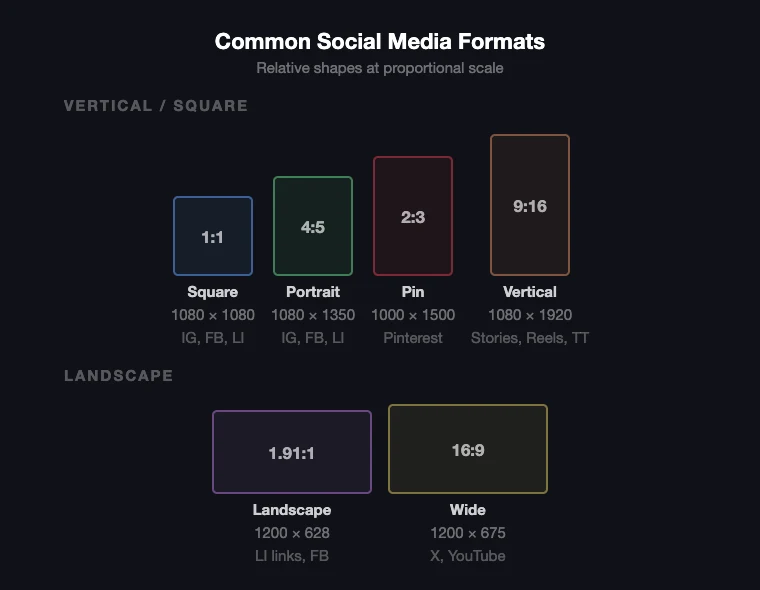
Quick Reference: Universal Sizes That Work Across Platforms
If you're creating one image for multiple platforms, these sizes give you the best cross-platform compatibility:
| Use case | Dimensions | Ratio | Works on |
|---|---|---|---|
| Feed post (portrait) | 1080 × 1350 | 4:5 | Instagram, Facebook, LinkedIn |
| Feed post (square) | 1080 × 1080 | 1:1 | Instagram, Facebook, LinkedIn, X |
| Stories / Reels / TikTok | 1080 × 1920 | 9:16 | Instagram, Facebook, TikTok, Pinterest |
| Blog / article header | 1200 × 628 | 1.91:1 | LinkedIn, Facebook links, X |
The 1080×1350 portrait format is the closest thing to a universal social media image size — it works well as a feed post on Instagram, Facebook, and LinkedIn without modification.
Tips for Getting the Best Results
-
Always start at or above the recommended dimensions. Platforms downscale gracefully but upscaling looks bad. If the platform wants 1080px wide, give it at least 1080px.
-
Export as JPG at 85-92% quality for photos. This balances file size and visual quality before the platform applies its own compression. Use PNG only for graphics with text, sharp edges, or transparency.
-
Design for the crop. Every platform auto-crops differently. Keep key content centered and away from edges. Test on a phone before publishing.
-
Vertical wins on mobile. Across Instagram, Facebook, LinkedIn, and Pinterest, vertical images (4:5 or taller) get more screen space. If you're choosing between landscape and portrait, portrait almost always performs better for feed posts.
-
Use preset-based tools. Instead of manually calculating pixels, use a social media resizer with built-in presets. poster.sh's Instagram resizer and social media resize hub have every platform size built in.
Bottom Line
If you only remember one number, 1080 pixels wide is still the safest baseline for modern social graphics as of April 14, 2026. The catch is that the "best" ratio still changes by platform and feature, so this advice breaks when you reuse one asset everywhere without checking crop rules, or when a platform updates its feed and story specs between campaigns.
Frequently Asked Questions
- What is the best image size for social media in general?
- 1080×1350 (4:5 portrait) is the most versatile single size. It works as a feed post on Instagram, Facebook, and LinkedIn without any cropping issues, and it takes up more screen space than square or landscape formats.
- Do all social media platforms compress images?
- Yes. Every platform applies its own compression to uploaded images. You can't prevent this, but you can minimize visible quality loss by uploading at the platform's recommended dimensions and using high-quality source files (JPG at 85-92% quality or PNG for graphics).
- How often do social media image sizes change?
- Platforms update their specs periodically — Instagram expanded portrait support from 4:5 to 3:4 recently, and new features like Reels and Idea Pins introduced their own size requirements. Check back every few months to make sure your sizes are current. This guide is verified as of March 2026.
- Can I use the same image on every platform?
- You can, but it won't look optimal everywhere. A 1080×1350 portrait works on Instagram, Facebook, and LinkedIn feeds but gets cropped awkwardly on X (which prefers 16:9) and Pinterest (which prefers 2:3). For best results, resize per platform or use a [multi-platform resizer](/tools/resize-for-social). --- *Method note: All platform dimensions verified from official help centers and established social media management sources as of March 2026. Platform specs change periodically — check the linked sources for the latest. See fact-check.md for the full source registry.*
Resize for Any Platform Instantly
Pick a platform, drop your image, and get the right size in seconds. No installs, no accounts — works in your browser.
Open the Social Media Resizer